SafeShot press kit
Press kit

Cover what you didn't mean to share.

SafeShot finds the personal details in a screenshot, covers them on your iPhone, and shows you every mask before you share the copy.

Download press kit ZIP · 12.5 MB Coming soon to the App Store

Version 1.0 is in App Review. Requires iOS 27 and iPhone 15 Pro or later.

Recipient
Maren Lindqvist
New balance

Tap a mask to uncover it, and tap again to cover it. The editor works the same way.

What SafeShot is

Short description

SafeShot finds the personal details in a screenshot on your iPhone and covers them. You review every mask, cover anything it missed, and share the copy.

Description

SafeShot is a privacy utility for iPhone. Take a screenshot, tap Share, pick SafeShot, and the editor opens with the personal details already covered: card numbers, IBANs, phone numbers, email addresses, verification codes, faces and QR codes. With Apple Intelligence turned on, SafeShot also reads the screenshot for context and catches what no pattern can describe, such as an account balance, a name in a chat, a street address or a date of birth.

Every suggestion is a mask you can review. Tap a mask to uncover what sits under it, hold to remove it, drag a box over anything SafeShot missed, undo and redo. The copy you share is a new image with the masks baked in. The covered pixels are gone and the original stays untouched.

The analysis runs on the iPhone. SafeShot has no server, no account and no analytics, and the Apple Intelligence model it uses never leaves the device.

Key features

  • Finds personal details automatically. Card numbers, IBANs, phone numbers, email addresses, verification codes, faces and QR codes. With Apple Intelligence, also a balance, a name, an address or a date of birth.
  • You decide what stays covered. Tap a mask to uncover it, hold to remove it, drag to cover more, resize, undo and redo.
  • Everything happens on your iPhone. No server, no account, no analytics. The screenshot never leaves the device for analysis.
  • The copy carries nothing extra. No location, capture date or device metadata, and the covered details are gone from the file itself.
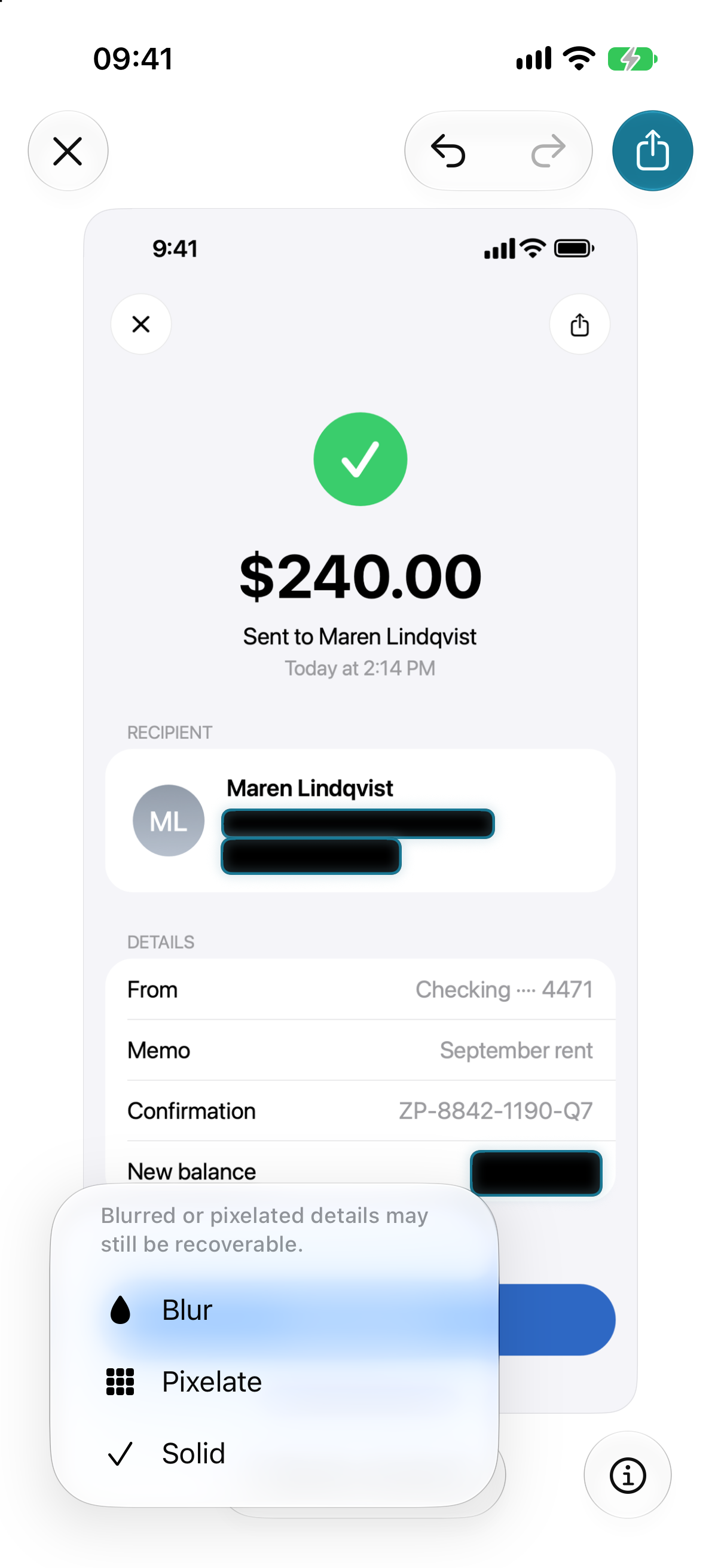
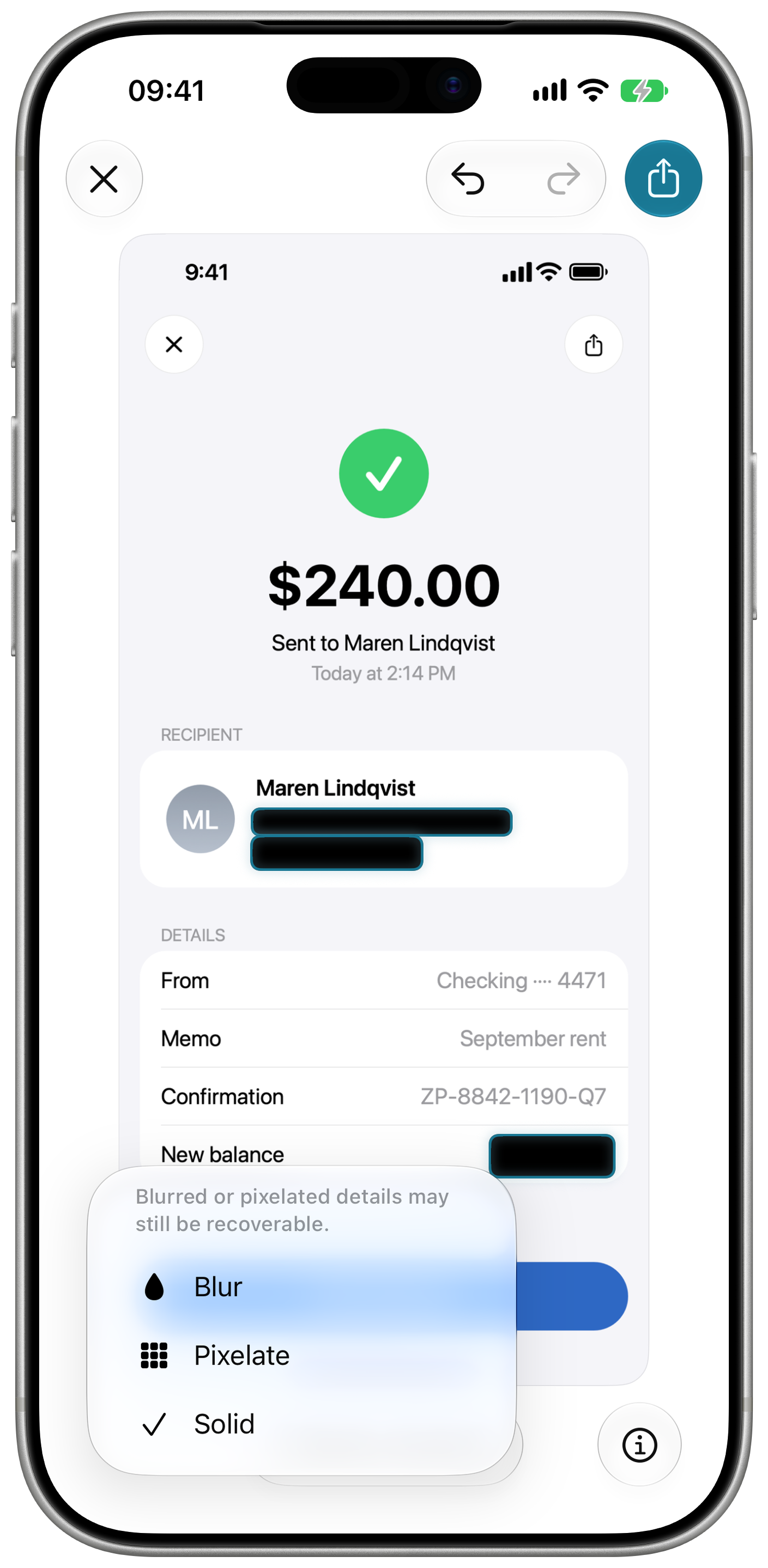
  • Solid masks by default. Pixelate and blur are there too, with a warning that they may be recoverable.
  • Opens from the share sheet. Take a screenshot, tap Share, pick SafeShot. Photos, Files and the app itself work too.

How it works

  1. Take a screenshot, tap Share, pick SafeShot. Or open SafeShot and choose one from the library.
  2. SafeShot finds the personal details. With Apple Intelligence it also catches what only context reveals, such as a balance or a name in a chat.
  3. Review. Masks sit over the suggestions. Tap to uncover, hold to remove, drag to cover more. The status line counts what is covered and never claims the screenshot is clean.
  4. Share the copy. The export is a new image with the masks baked in and no metadata from the original.

Where the data goes

The screenshot
SafeShot copies it into a protected temporary file when you open it and deletes the copy when the editor closes.
The analysis
Runs on the iPhone, with Apple Intelligence on the device. SafeShot never uses Private Cloud Compute.
The copy
Goes wherever you send it, through the system share sheet.
After a share
SafeShot saves the original screenshot and its masks to your own iCloud, so you can reopen a shared copy and edit it again. The developer cannot read it.
Purchases
Through the App Store and RevenueCat, the one third party the app talks to.
Not collected
No server of our own, no account, no analytics.

Who it's for

Anyone who explains things with screenshots: a bank confirmation for a landlord, a boarding pass for a friend, a chat posted to a group for advice, a bug report with an order number in it, a support ticket with an account page attached. Each one carries something the other person does not need, and SafeShot covers it before you send.

From the developer

I send screenshots all day. A receipt to prove a transfer went through, a chat to ask a friend what they would answer, a settings page to a support agent. Almost every one has something on it the other person does not need: a balance in the corner, a phone number under a name, a street address three messages up. Covering it by hand means the markup pen, a shaky rectangle and a second look I skip when I am in a hurry.

iOS 27 made SafeShot possible. Apple Intelligence can now look at an image right on the iPhone and say what is on it, so an app can read a screenshot the way you would and point at the balance, the name and the address without sending a pixel anywhere. SafeShot builds on that, and you decide what stays covered. No app can promise to remove all your private information, and that promise is what makes you send a screenshot without a second look. So SafeShot suggests, and you decide.

The other choices followed from that one. Solid masks are the default, because a blur can be undone. There is no server, because a screenshot of your bank app has no business leaving the phone. Pro is one purchase, because I would not pay a subscription for a utility either.

Pricing

SafeShot is free to download. One screenshot a day goes through the whole app, every feature included. SafeShot Pro removes the daily limit for a single purchase of $14.99 (Lifetime Pro), with no subscription. Prices vary by country.

Reviewers can ask for a promo code or a TestFlight build by email: khuraskin.dev@gmail.com.

Fact sheet

App name
SafeShot. On the App Store: SafeShot: Redact, Mosaic, Blur
Developer
Vladimir Khuraskin, independent developer
Platform
iPhone
Requires
iOS 27 and an iPhone that supports Apple Intelligence, iPhone 15 Pro or later. With Apple Intelligence turned off, the pattern checks and image detection still run.
Price
Free, one screenshot a day. SafeShot Pro: $14.99, one purchase
Version
1.0
Status
In App Review
Category
Utilities, Photo & Video
Age rating
4+
Languages
16: Chinese (Simplified and Traditional), Danish, Dutch, English, French, German, Italian, Japanese, Korean, Norwegian, Portuguese, Russian, Spanish, Swedish, Turkish, Vietnamese
Built with
Apple Intelligence through the iOS 27 Foundation Models framework, on the device, and SwiftUI
Website
getsafeshot.app

Screenshots

Every screen is drawn, and the people, accounts and numbers on it are fictional. Click a picture for the full-size PNG.

App Store set

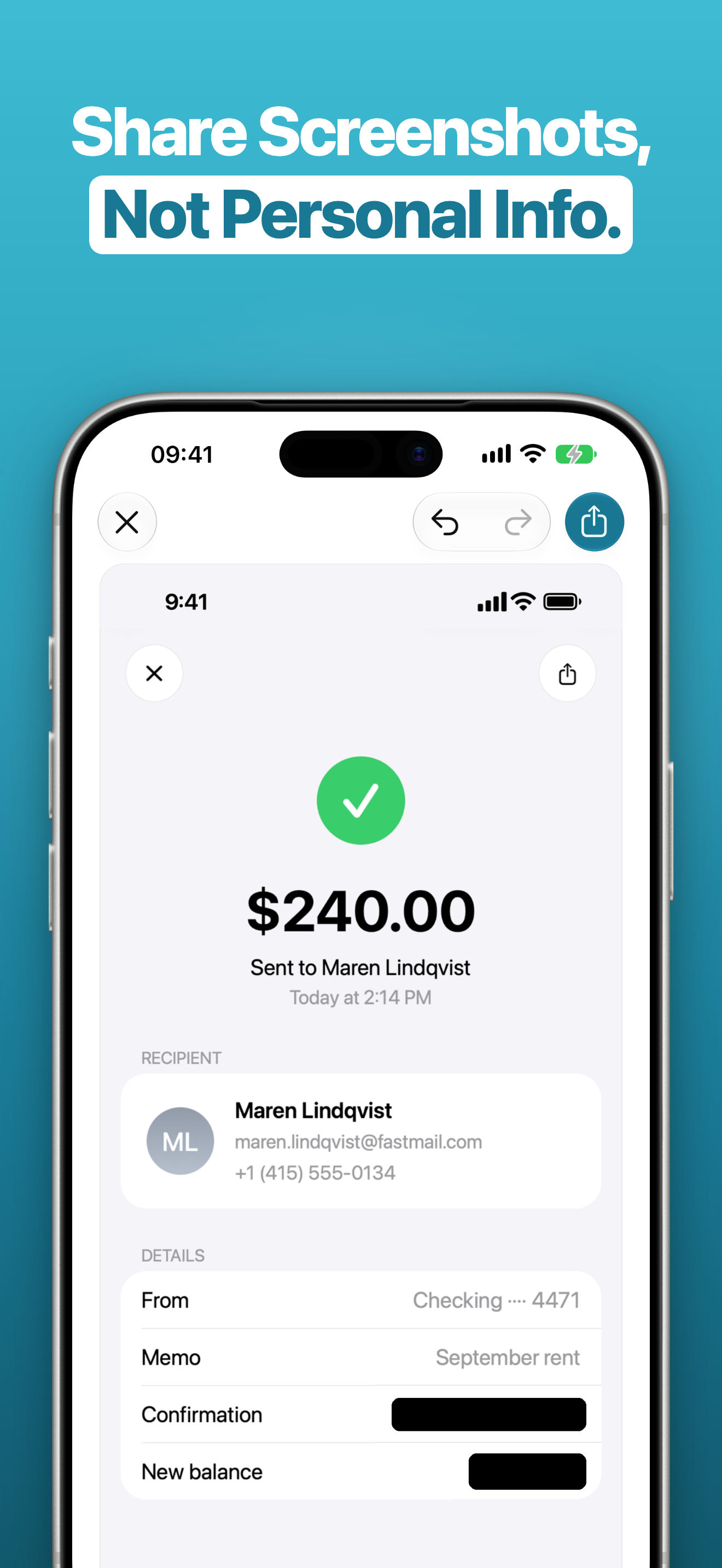
Slide 1: Share Screenshots, Not Personal Info. A transfer receipt in the editor with the confirmation number and the new balance covered.
Share screenshots, not personal info
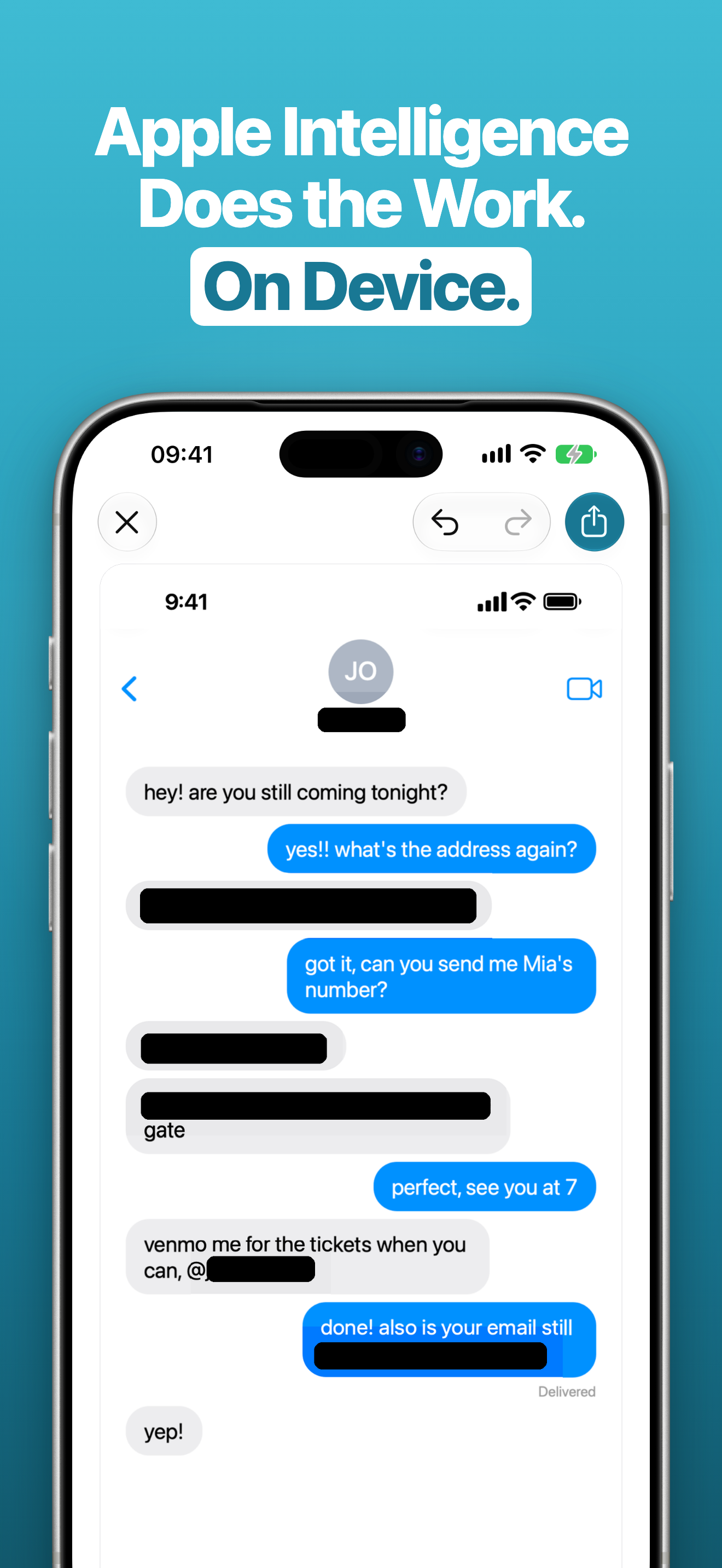
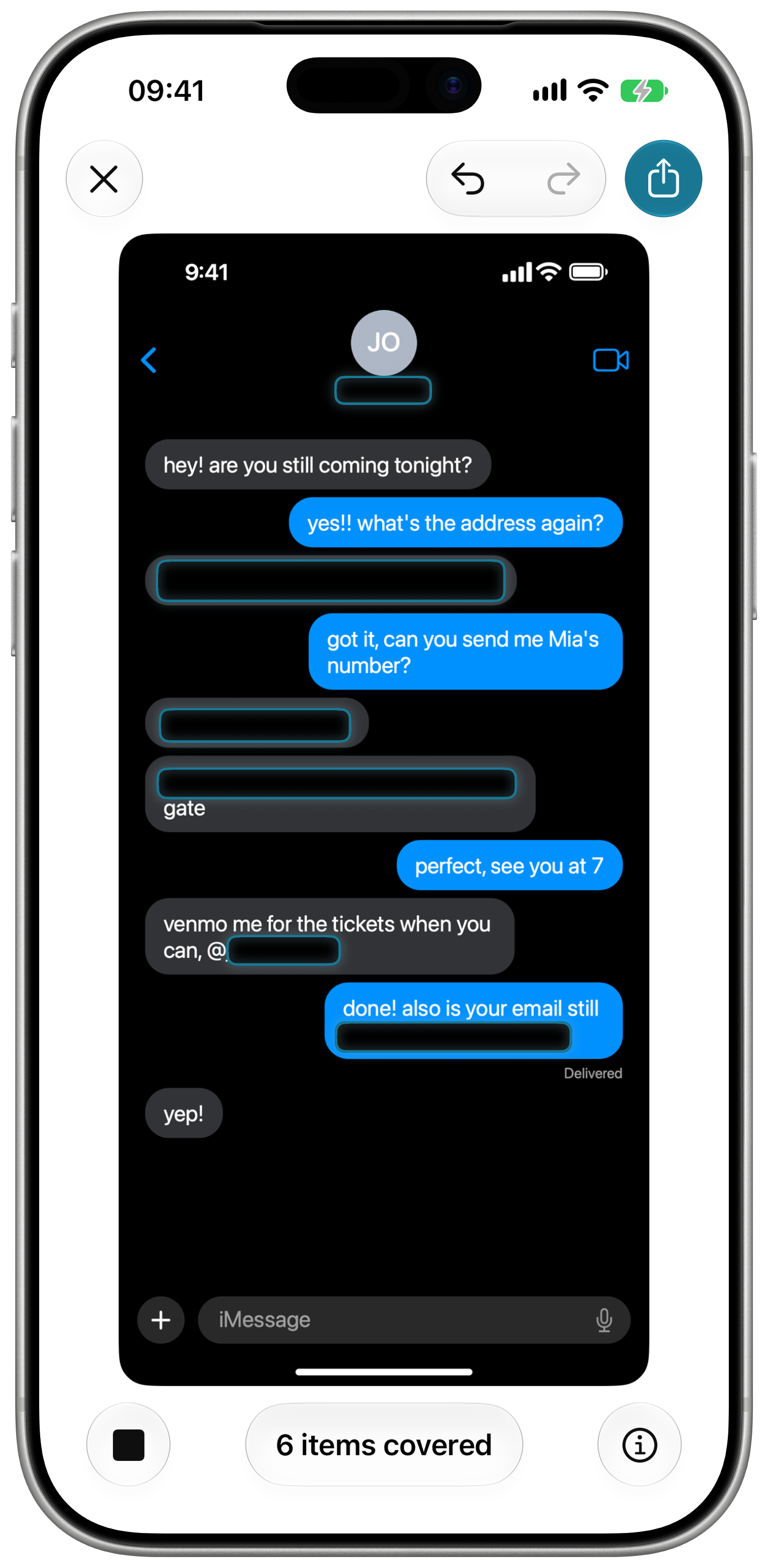
Slide 2: Apple Intelligence Does the Work. On Device. A chat with six items covered.
Apple Intelligence does the work, on device
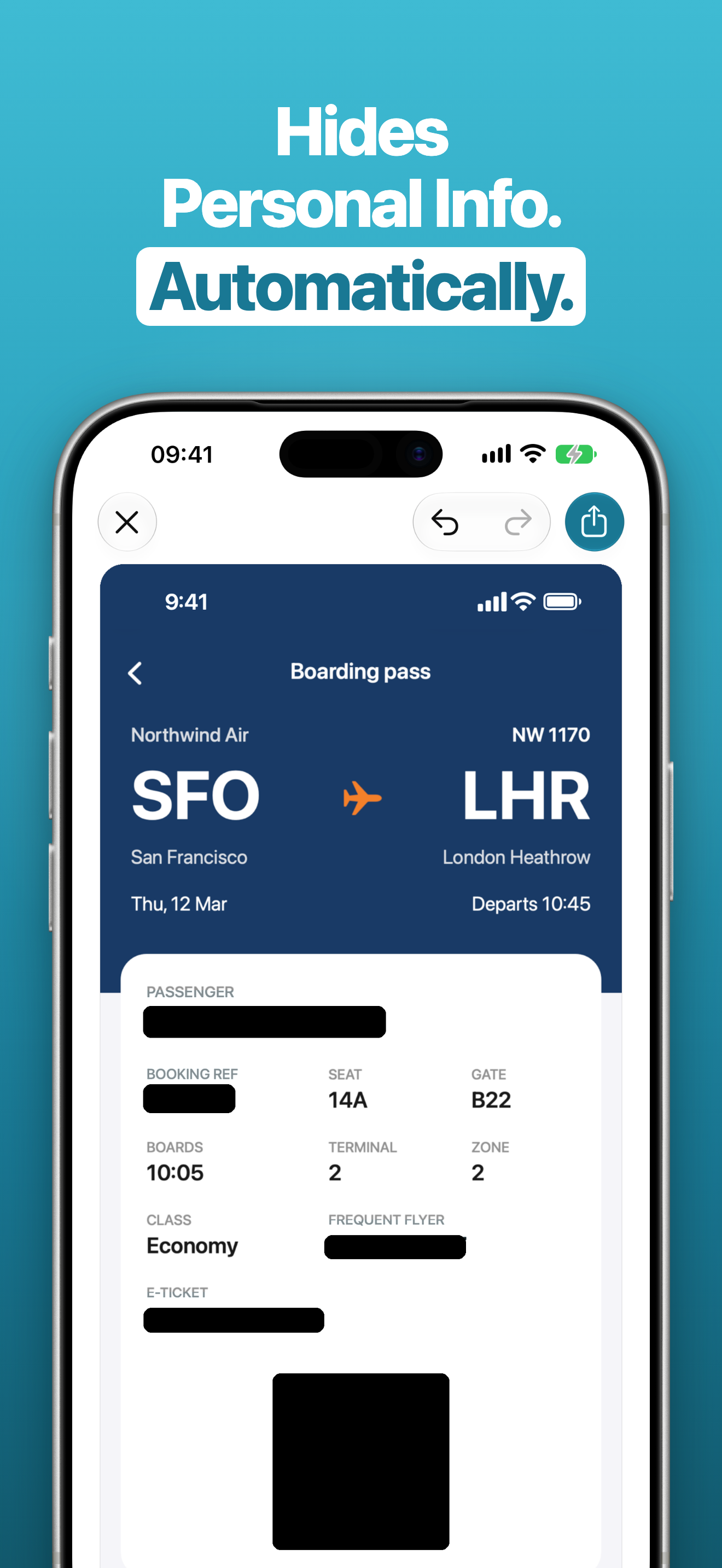
Slide 3: Hides Personal Info. Automatically. A boarding pass with the passenger name, booking reference, frequent flyer number, e-ticket and Aztec code covered.
Hides personal info, automatically

The app

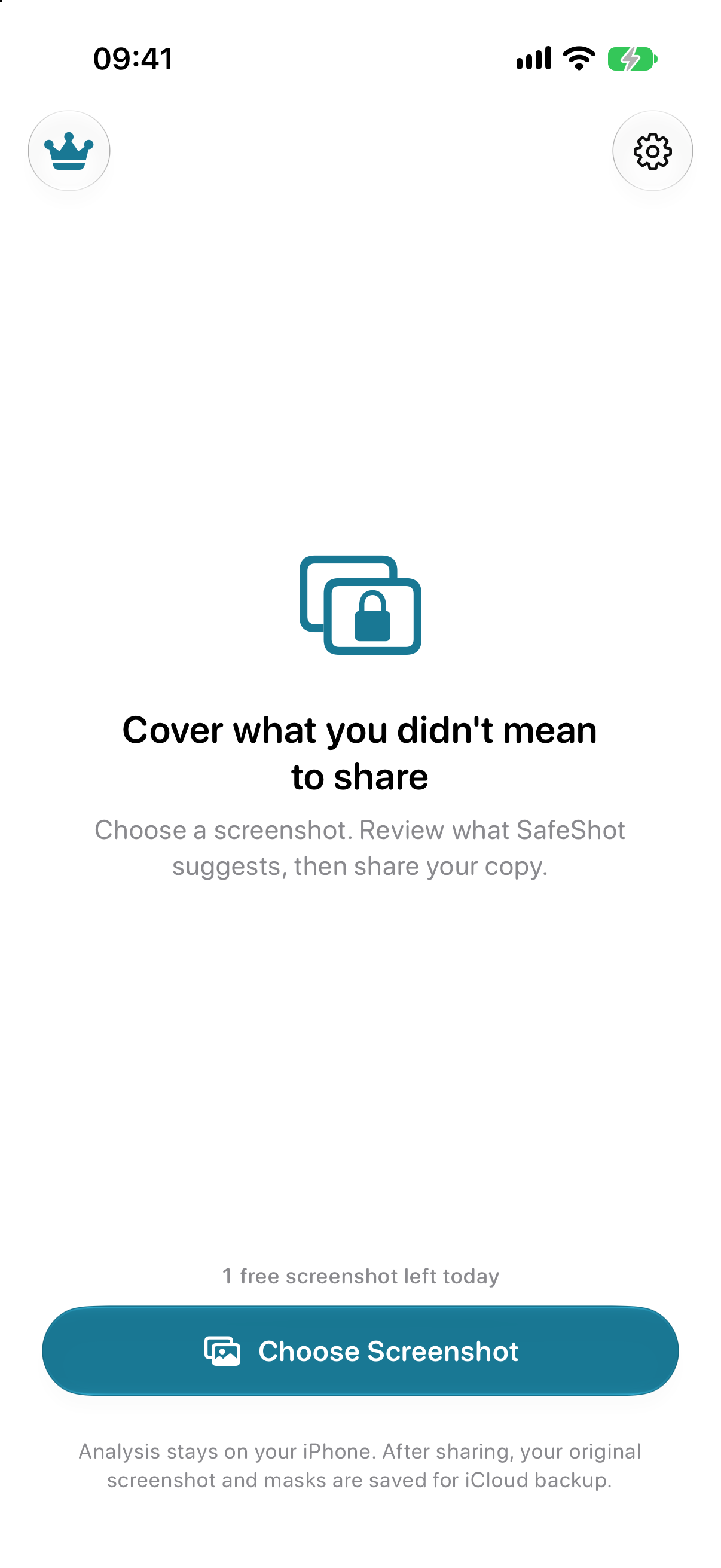
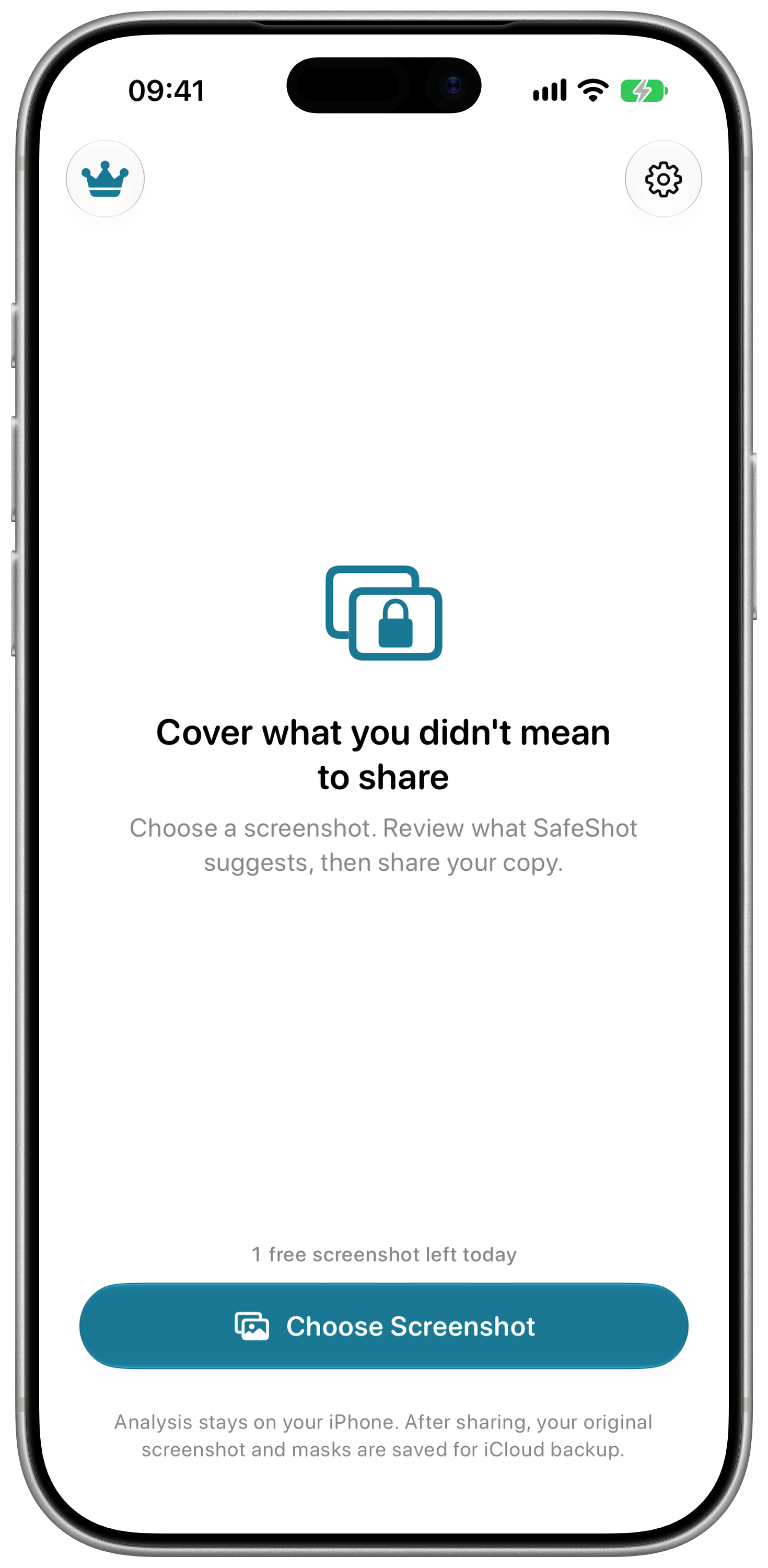
Home: Cover what you didn't mean to share, with the Choose Screenshot button and one free screenshot left today.
Home
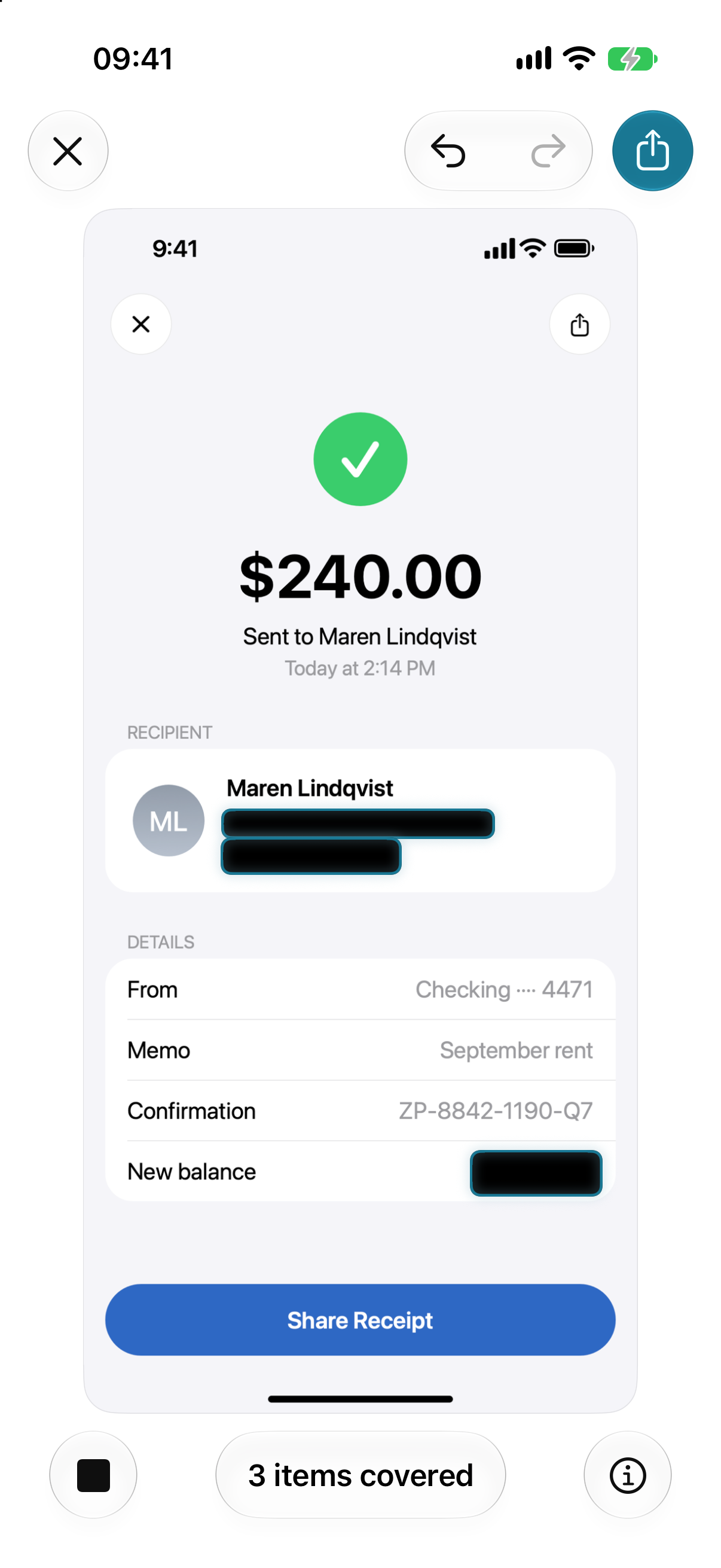
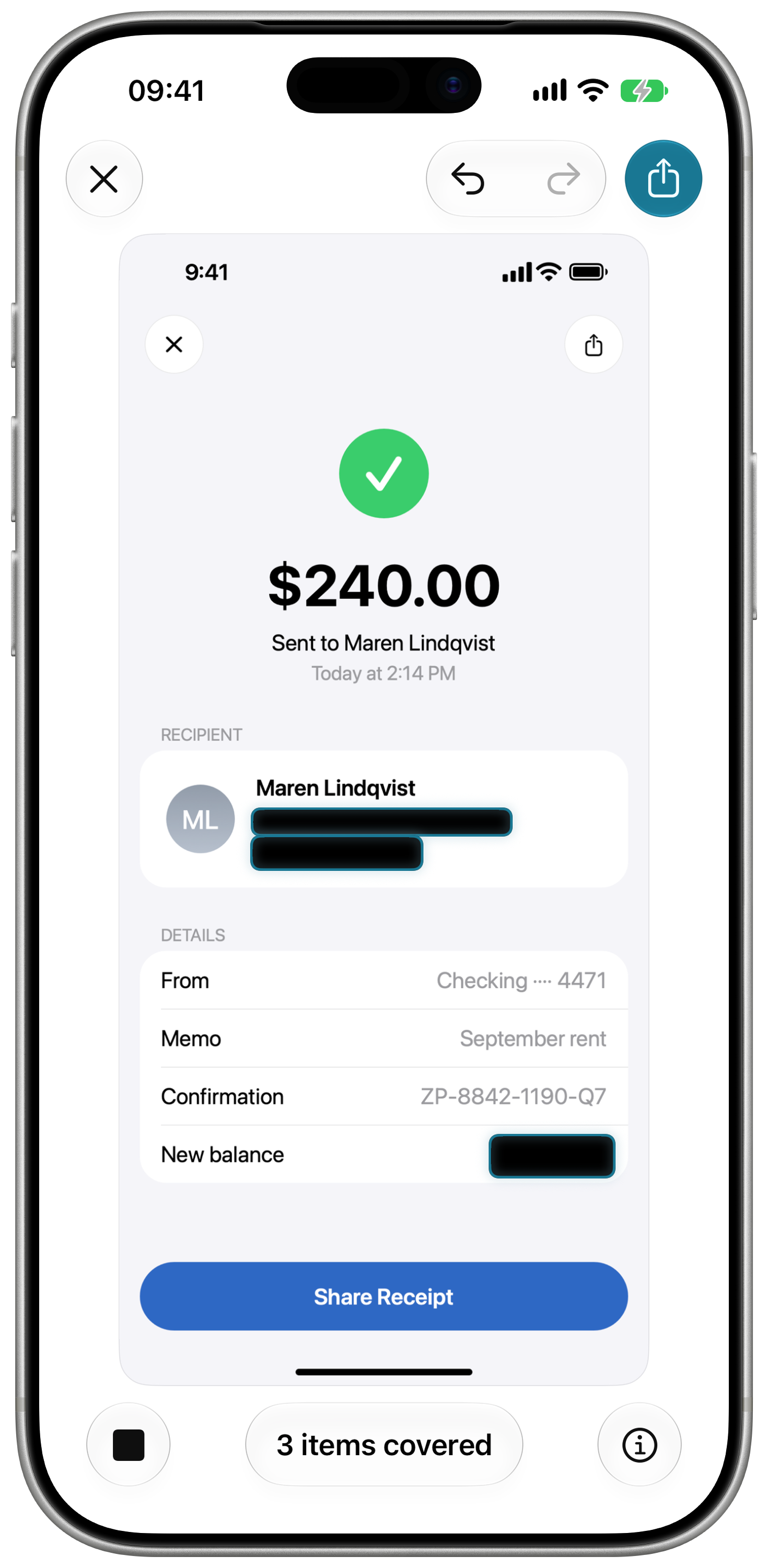
Editor: a transfer receipt with the email, phone and new balance covered, 3 items covered in the status pill.
Editor, three items covered
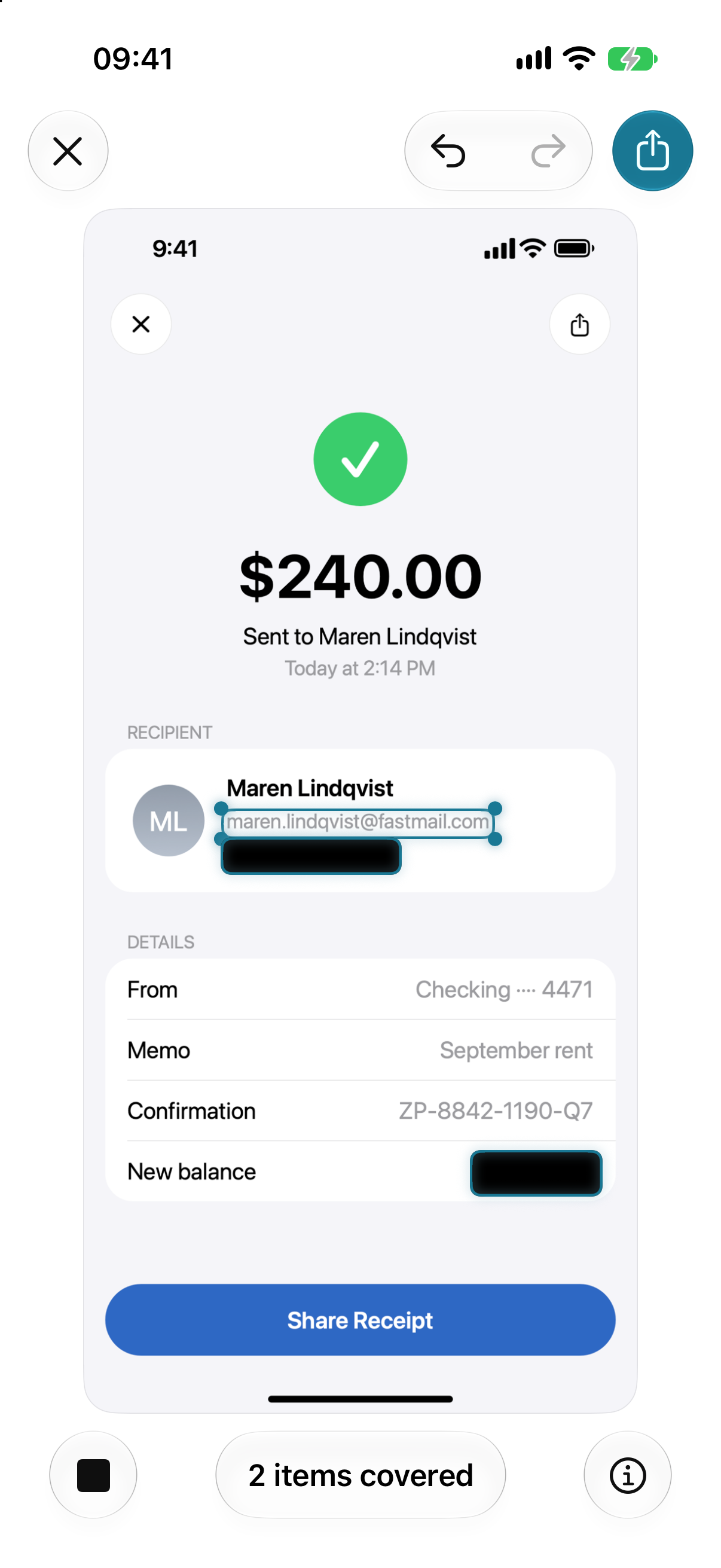
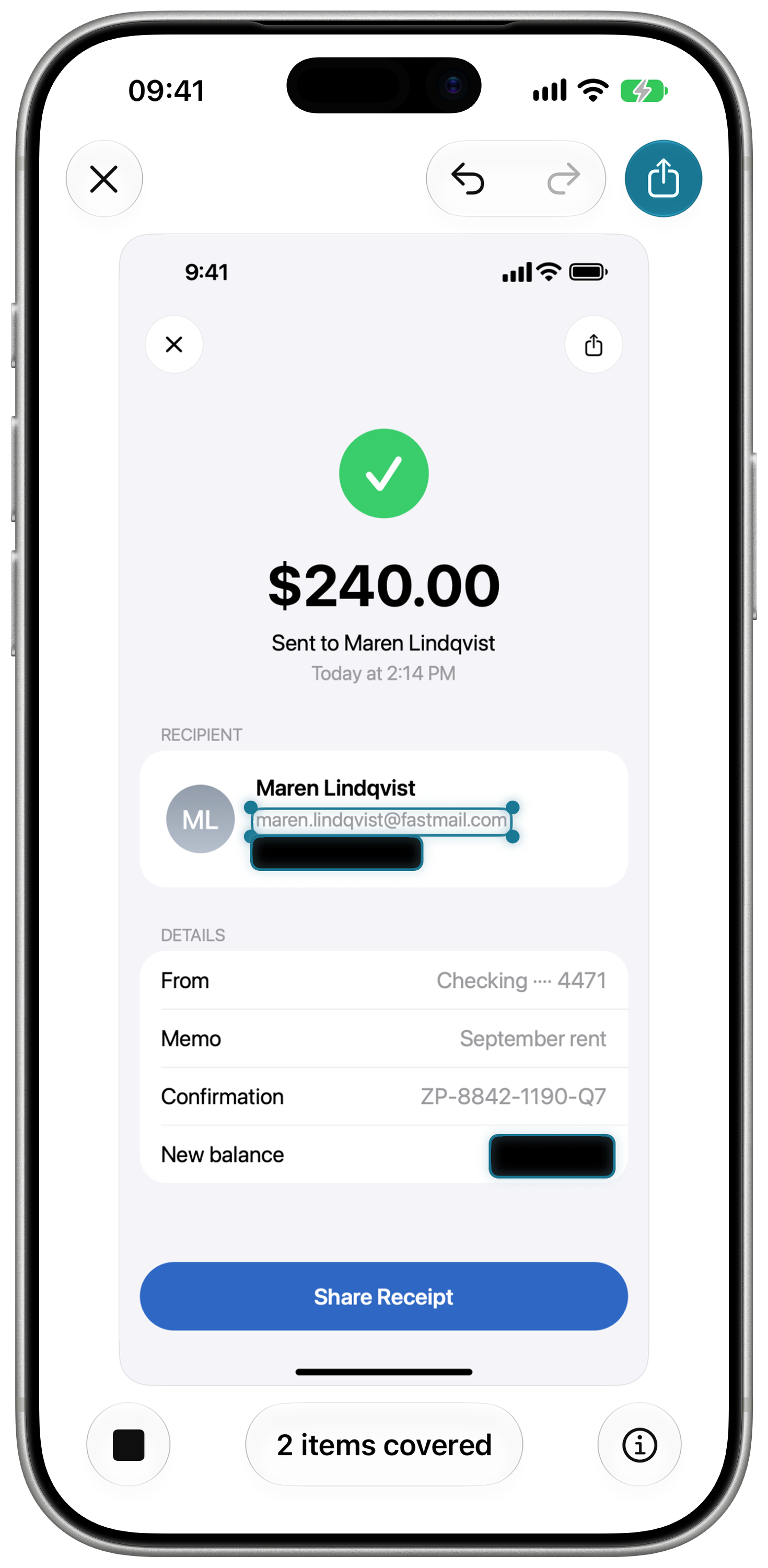
Review: the email mask uncovered with corner grips for resizing, 2 items covered.
Review, one mask uncovered
The mask style menu: Blur, Pixelate, Solid, under the line Blurred or pixelated details may still be recoverable.
Mask styles
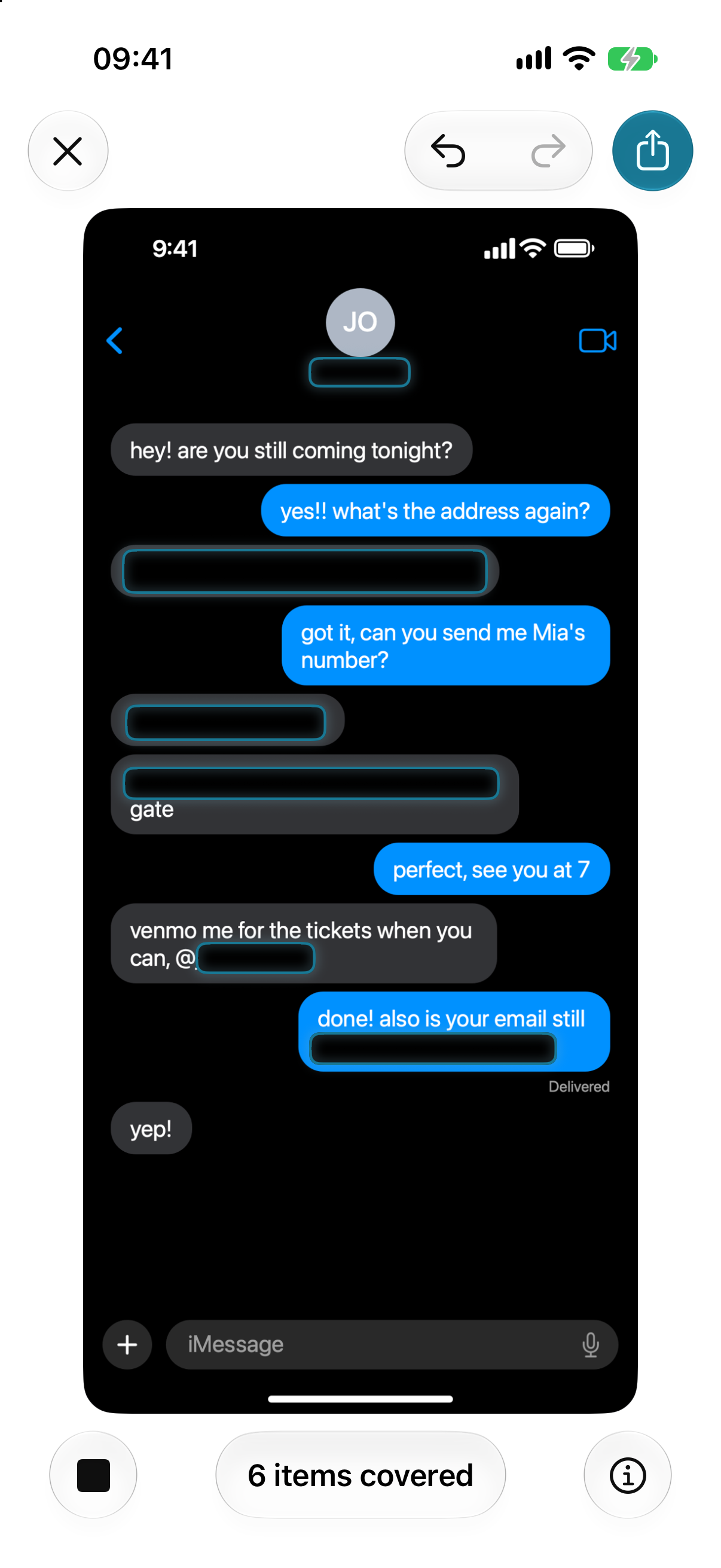
A chat in Dark Mode with six items covered: name, address, phone, handle, email and gate code.
Dark Mode, a chat

In an iPhone frame

The same five screens inside an iPhone frame on a transparent ground, for a page that needs a device.

Home screen inside an iPhone frame
Home
Editor inside an iPhone frame
Editor
Review inside an iPhone frame
Review
Mask styles inside an iPhone frame
Mask styles
Dark Mode chat inside an iPhone frame
Dark Mode

App icon

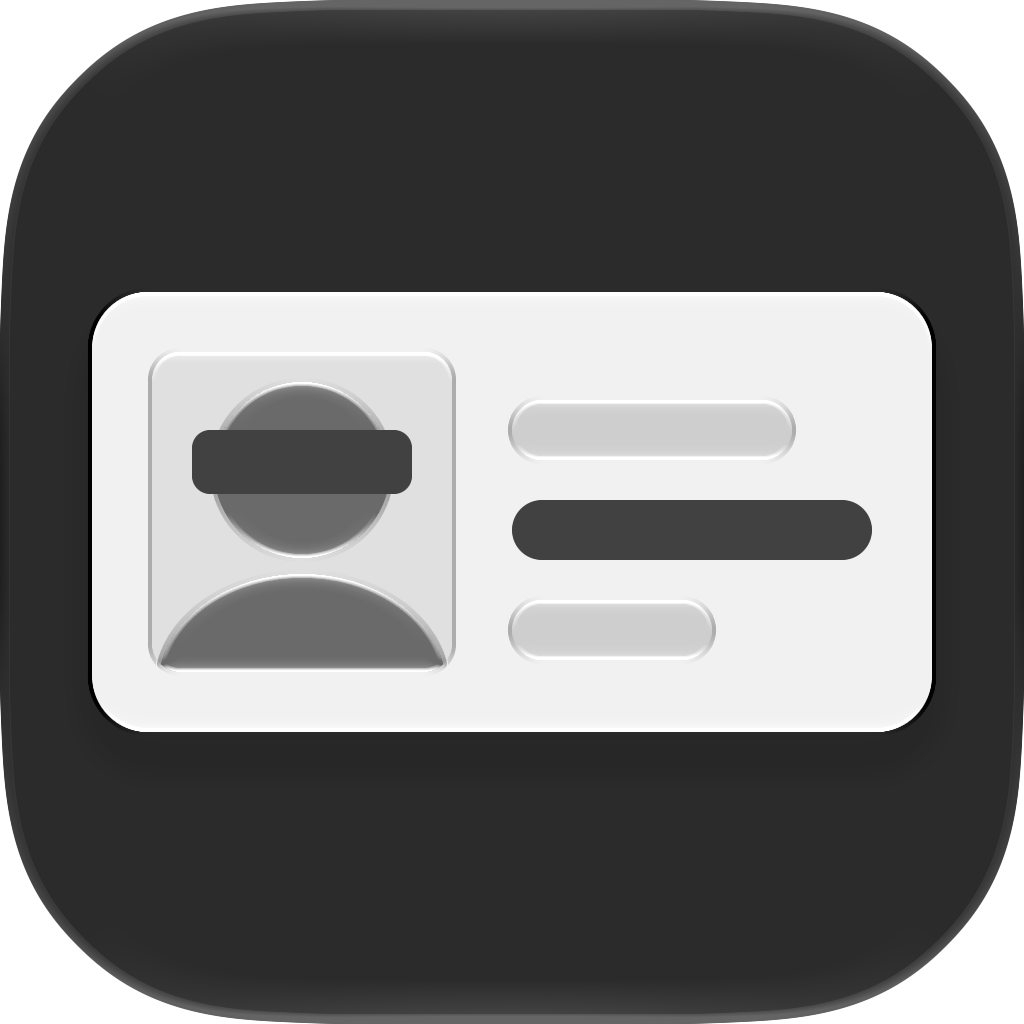
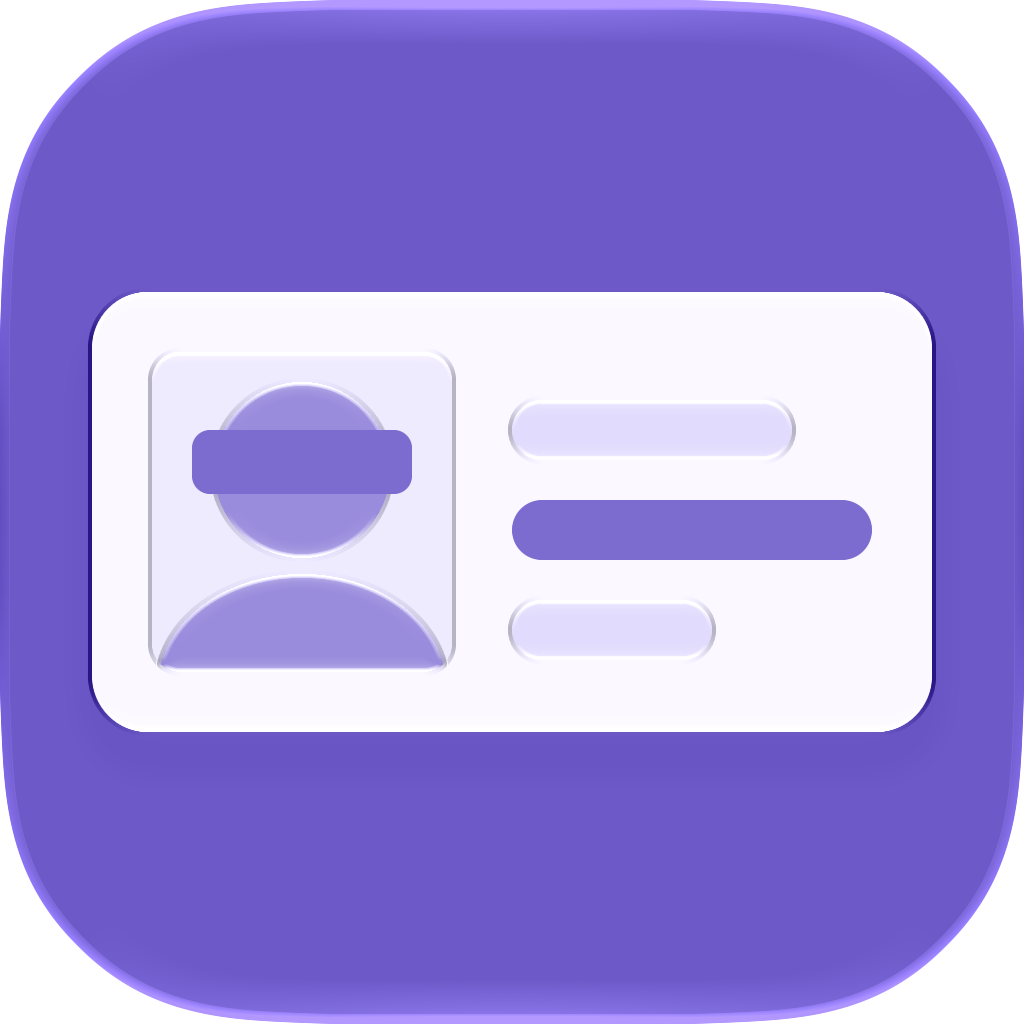
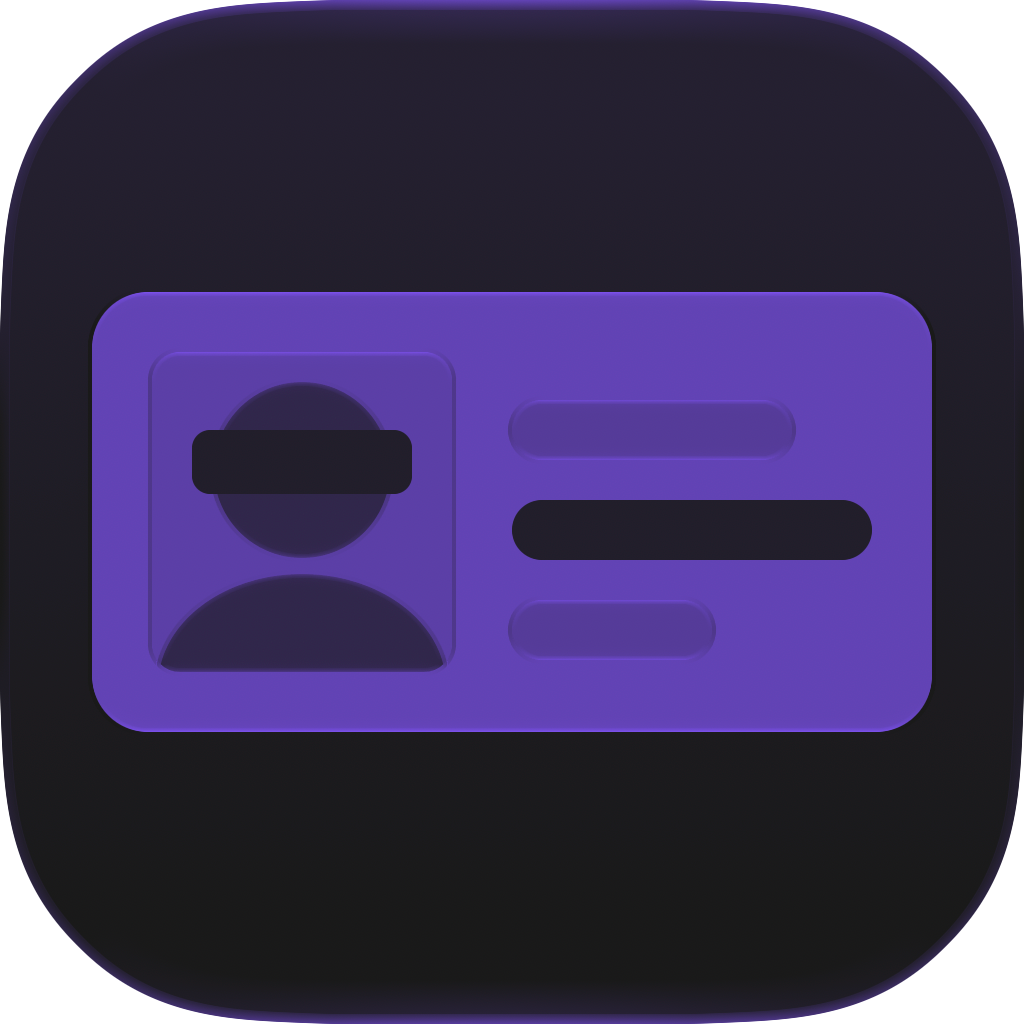
A schematic ID card: a photo with a bar over the eyes and a row of text covered. All six iOS 27 renditions; click one for the 1024 px PNG, corners already rounded. Use the icon as supplied, on its own. Do not recolour it or add effects.

Default icon: white card on a teal gradientDefault
Dark icon: white card on near blackDark
Clear Light iconClear Light
Clear Dark iconClear Dark
Tinted Light iconTinted Light
Tinted Dark iconTinted Dark

Video

A 33 second clip of a transfer receipt going through the editor and the share sheet: SafeShot suggests the masks, the user uncovers one, opens the style menu, and saves the copy from the share sheet. The same clip runs on the app's first screen.

MP4, H.264, 524 × 1080, no audio, inside an iPhone bezel on black.

Brand

The name is SafeShot, one word, with a capital S at the start and in the middle. Two spellings to avoid: Safe Shot and Safeshot. The app writes Apple Intelligence out in full and never shortens it to AI. Type on every screen is San Francisco, the system font.

Accent, light#197894
Accent, dark#258FAD
Icon gradient#3CB6CE → #197894
Mask#08080A

Press release

For immediate release

SafeShot covers the personal details in a screenshot before you share it, on the iPhone itself

Independent developer Vladimir Khuraskin today released SafeShot, a privacy utility for iPhone built on the on-device Apple Intelligence of iOS 27. It finds the personal details in a screenshot and covers them before the screenshot goes out, and it ships with no server, no account and no analytics.

Take a screenshot, tap Share, pick SafeShot, and the editor opens with the personal details already covered. SafeShot finds card numbers, IBANs, phone numbers, email addresses, verification codes, faces and QR codes, and with Apple Intelligence it also finds what only context reveals, such as an account balance, a name in a chat, a street address or a date of birth.

Every suggestion is a mask the user reviews. Tap a mask to uncover it, hold to remove it, drag over anything the app missed, then share. The copy is a new image with the masks baked in and no location, date or device metadata from the original.

"The screenshot apps I tried either blur a face for looks or hand you a marker. SafeShot reads the screen the way you would, points at the balance and the address, and lets you decide."
"Solid masks are the default because a blur can be undone. The app says so right in the style menu."

SafeShot is available on the App Store for iPhone 15 Pro and later running iOS 27, in 16 languages. It is free with one screenshot a day. SafeShot Pro removes the daily limit for $14.99, one purchase, no subscription.

Vladimir Khuraskin is an independent developer of iPhone apps. His earlier apps include Kip, a baby sleep tracker; Plantz, a plant identifier; Astersong, a voice journal; and Caroosel, a carousel post maker.

Contact: khuraskin.dev@gmail.com. Press kit: getsafeshot.app/press

About the developer

Vladimir Khuraskin is an independent developer of iPhone apps. SafeShot is his fifth on the App Store.

  • Kip · a baby sleep tracker
  • Plantz · a plant, tree and weed identifier
  • Astersong · an inner voice journal
  • Caroosel · a carousel post maker

Contacts

Questions, interviews, review copies and promo codes: khuraskin.dev@gmail.com. On X: @vladeku.